YOUR COMPANIES. ONE CLEAR WORKSPACE.

From company domains
to your next connection.

Find available public business contacts, keep your research organized, and export the details that move your work forward.

No card requiredFour extraction profilesCSV & ZIP exports
The actual Extraction Studio interface · No customer data shownOpen your workspace
01 / Enter domains02 / Choose the fields03 / Review and export

Good target companies.
Scattered contact details.

Names in one tab. Emails in another. Phone numbers and profile links somewhere else. Bring the available details together so your team can spend less time copying and more time reviewing who to contact.

CONTACT DETAILS YOU CAN COLLECT
  • Full name
  • Email
  • LinkedIn
  • Social media
  • Phone numbers
  • Job title
When available in the public source. Not every contact includes every field.
Company pageexample.comName · Alex CarterPublic contact detailsalex@example.comLinkedIn · phone · roleContact record · exampleACAlex CarterExample CompanyBusiness emailalex@example.comLinkedInProfile linkSocial mediaPublic profilesPhoneWhen availableJob titleOperations managerOne organized record
THE WORK YOU CAN SKIP
01

Open each domain and hunt for public contact details

02

Copy names, emails, links and roles into a spreadsheet

03

Fix duplicate companies and inconsistent columns

ProspectDrain turns that research into a repeatable run.

Three steps from target companies to usable data.

Choose your companies, then an extraction profile. Use all-data mode to collect the available names, emails, LinkedIn and social links, phone numbers and job titles in one run.

CONTACT DETAILS YOU CAN COLLECT
  • Full name
  • Email
  • LinkedIn
  • Social media
  • Phone numbers
  • Job title
When available in the public source. Not every contact includes every field.
Company domainsexample.comexample.orgexample.netIllustrative domain listChoose your outputEmails onlyLinkedIn onlySocial mediaAll contact dataCSV1. Domains2. Profile
01

Add your domains

Paste domains or upload a text or CSV list. ProspectDrain normalizes entries and removes duplicates before the run.

02

Choose your focus

Run emails only, LinkedIn only, social media only, or all available contact data. Follow progress in the Client Area.

03

Review and export

See which domains returned data. Download individual CSVs, one combined CSV, or a ZIP of available files.

Less searching.
More deciding who to contact.

Bring scattered public contact details into a consistent file. Review full names, emails, LinkedIn profiles, social media links, phone numbers and job titles when the source provides them. Keep the columns you need for your own research and outreach workflow.

01One place to check run progress and outcomes
02Separate files for each successful domain
03Combined CSV and ZIP exports
Create a free account ↗
CONTACT DETAILS YOU CAN COLLECT
  • Full name
  • Email
  • LinkedIn
  • Social media
  • Phone numbers
  • Job title
When available in the public source. Not every contact includes every field.
Organized contact outputNameEmailProfilesJob titleAlex CarterJamie LeeSam TaylorIllustrative rows · available fields vary by sourceCSVIndividual + combined CSVZIP of company files
EXAMPLE OUTPUT STRUCTURECSV / ALL DATA
record_typenameemaillinkedinsocial_mediaphonejob_title
contactAvailableAvailableAvailableAvailableAvailableAvailable
contact—AvailableAvailable———
Illustrative column layout. Fields depend on what each public source provides; these are not real contact records. Scroll to see all columns.

A cleaner first pass for the work ahead.

Use names and job titles to assess relevance, profile links to add context, and available emails and phone numbers to plan your next step.

CONTACT DETAILS YOU CAN COLLECT
  • Full name
  • Email
  • LinkedIn
  • Social media
  • Phone numbers
  • Job title
When available in the public source. Not every contact includes every field.
Organized contact outputNameEmailProfilesJob titleAlex CarterJamie LeeSam TaylorIllustrative rows · available fields vary by sourceSalesAgenciesGrowthResearch once. Export clearly.
SALES

Research target accounts

Start with the companies you want to reach and review available people and business contact details in one export.

AGENCIES

Keep campaigns organized

Separate results by domain and combine the available records when your team needs a single file.

FOUNDERS & GROWTH

Explore a market

Turn a shortlist of companies into structured data you can inspect before deciding who belongs in your campaign.
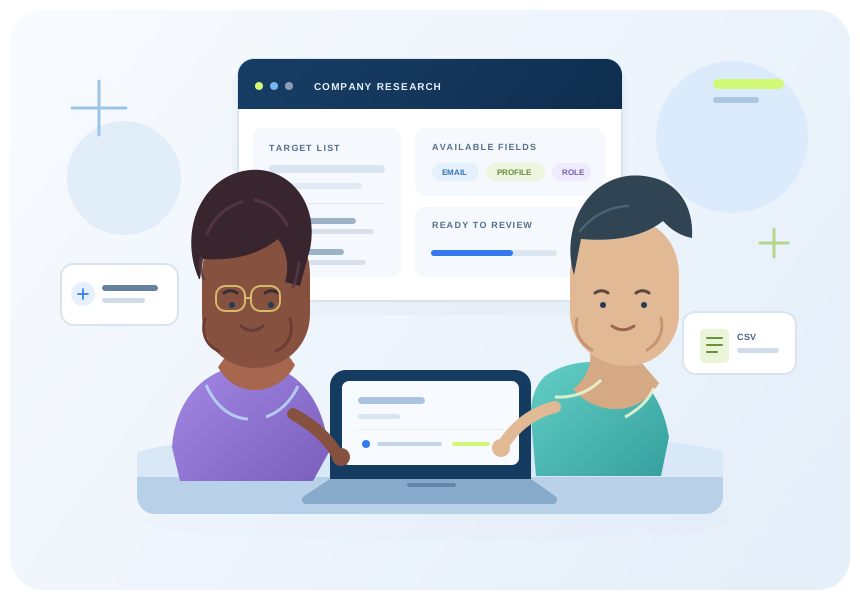
Illustration of a dark wavy-haired analyst with glasses and a short-haired colleague reviewing company data together
Original vector artwork. Characters are illustrative, not ProspectDrain staff or customers.

Give your team more time for the human part.

ProspectDrain organizes the public contact details available for your target companies, so your team can review the list and decide who to contact.

  • Keep each domain’s results together
  • Review the fields available from source pages
  • Export individual or combined CSV files
Try 10 domains free

Public data, with the limits made clear.

Source pages can change, be unavailable, or contain no usable contacts. A found email is not a verified deliverable address, and a contact is not a qualified or interested buyer. ProspectDrain helps collect and organize available data; your team reviews it before outreach.

CONTACT DETAILS YOU CAN COLLECT
  • Full name
  • Email
  • LinkedIn
  • Social media
  • Phone numbers
  • Job title
When available in the public source. Not every contact includes every field.
Contact record · exampleACAlex CarterExample CompanyBusiness emailalex@example.comLinkedInProfile linkSocial mediaPublic profilesPhoneWhen availableJob titleOperations managerBefore outreachReview the sourceCheck available fieldsAssess fit and accuracyFound ≠ email-verifiedPublic information. Clear limits.

Start free. Add room to grow.

Try collecting these contact details from your own domains first. Every plan includes all four extraction profiles. Upgrade for larger runs and Domain Discovery. Basic is for email search. Growth and Scale include Pro for email and company search in one workspace.

CONTACT DETAILS YOU CAN COLLECT
  • Full name
  • Email
  • LinkedIn
  • Social media
  • Phone numbers
  • Job title
When available in the public source. Not every contact includes every field.
Your account · usageRoom for your next runUnique domains searchedContact export allowanceIllustrative usage · limits depend on planChoose your outputEmails onlyLinkedIn onlySocial mediaAll contact dataChoose the capacity you need
10DOMAINS
YOUR FIRST RUN IS ON US

See what ProspectDrain finds on your own list.

Search up to 10 unique domains in total with a free account. No card required.

Create a free account ↗
PAID PLANSMonthly contact export allowance
STARTER · BASIC

For focused research.

$99 USD / month

250 exported contact rows per month. All four extraction profiles included.

Card subscriptions renew monthly.

  • Basic email search
  • Domain list and Domain Discovery
  • Four extraction profiles
  • Individual, combined and ZIP exports
Choose Starter ↗
SCALE · PRO

For a larger queue.

$399 USD / month

2,000 exported contact rows per month. All four extraction profiles included.

Card subscriptions renew monthly.

  • Domain list and Domain Discovery
  • Four extraction profiles
  • Pro: email and company search — unlock company locations, websites and available contact details. Exported company rows use your plan allowance.
  • Individual, combined and ZIP exports
Choose Scale ↗

Card plans renew at $99 / $249 / $399 per month after any first-month promotion. Crypto access is prepaid for 30 days and requires manual payment verification. Exported contact rows count toward the plan allowance. Source availability and results vary.

BUILT ON CLARITY. BACKED BY FEEDBACK.

A clearer workflow.
Confidence at every step.

Know what you’re getting before your first run. Explore the workspace, check the source limits, and try your own domains.

Clear about the source

Public business information, with availability and limitations explained.

Choose what you collect

Four extraction profiles so your research stays focused on the details you need.

Review before your next move

Inspect your results and download organized CSV or ZIP files.

See the workflow for yourself
YOUR EXPERIENCE MATTERS

Help shape the next
customer’s first impression.

There are no published customer reviews yet. After your service is delivered, share your experience in the Client Area. Approved feedback will appear here.

Share your experience Customer-submitted. Published after review.

Know what to expect.

Understand which contact details can appear in your export, how availability varies, and what each plan includes.

CONTACT DETAILS YOU CAN COLLECT
  • Full name
  • Email
  • LinkedIn
  • Social media
  • Phone numbers
  • Job title
When available in the public source. Not every contact includes every field.
Choose your outputEmails onlyLinkedIn onlySocial mediaAll contact dataExtraction helpWhich fields can I collect?Available public contact details.How do I get my results?Individual CSV, combined CSV, ZIP.Know your output before you start
What does ProspectDrain extract?

Extraction Studio reads public source pages and captures available full names, emails, LinkedIn profiles, social media links, phone numbers and job titles, plus company information when present. Each processed domain can produce a CSV file.

How do I start a run?

Create a free account to enter up to 10 unique domains, or choose a paid plan for larger runs and Domain Discovery. Sign in to the Client Area, open Extraction Studio, and select the fields you need.

Are the extracted prospects verified?

ProspectDrain collects contact information available on public business pages and organizes it for review. A found email has not been confirmed as deliverable, and a contact has not been confirmed as a current employee or interested buyer.

What do I receive?

Your Client Area keeps saved run history and lets you download individual CSV files, a combined CSV or a ZIP of the available results. All-data mode includes match-ratio rows and contact fields when present.

Can I run a larger domain list?

Yes. Free accounts can search 10 unique domains in total. Paid plans support larger lists and Domain Discovery, with exported contact rows counting toward the plan allowance.

What if a domain returns no contacts?

Some public source pages contain no usable records, change their structure, or cannot be reached. The run shows its outcome; submitting a domain does not guarantee a contact row.

Have a list of companies?
Put it to work.

Create a free account and search up to 10 unique domains. See which names, emails, profile links, phone numbers and job titles are available for your target companies.

CONTACT DETAILS YOU CAN COLLECT
  • Full name
  • Email
  • LinkedIn
  • Social media
  • Phone numbers
  • Job title
When available in the public source. Not every contact includes every field.
Company domainsexample.comexample.orgexample.netIllustrative domain listContact record · exampleACAlex CarterExample CompanyBusiness emailalex@example.comLinkedInProfile linkSocial mediaPublic profilesPhoneWhen availableJob titleOperations managerYour domains. Your research file.